Turf Cover Sheet
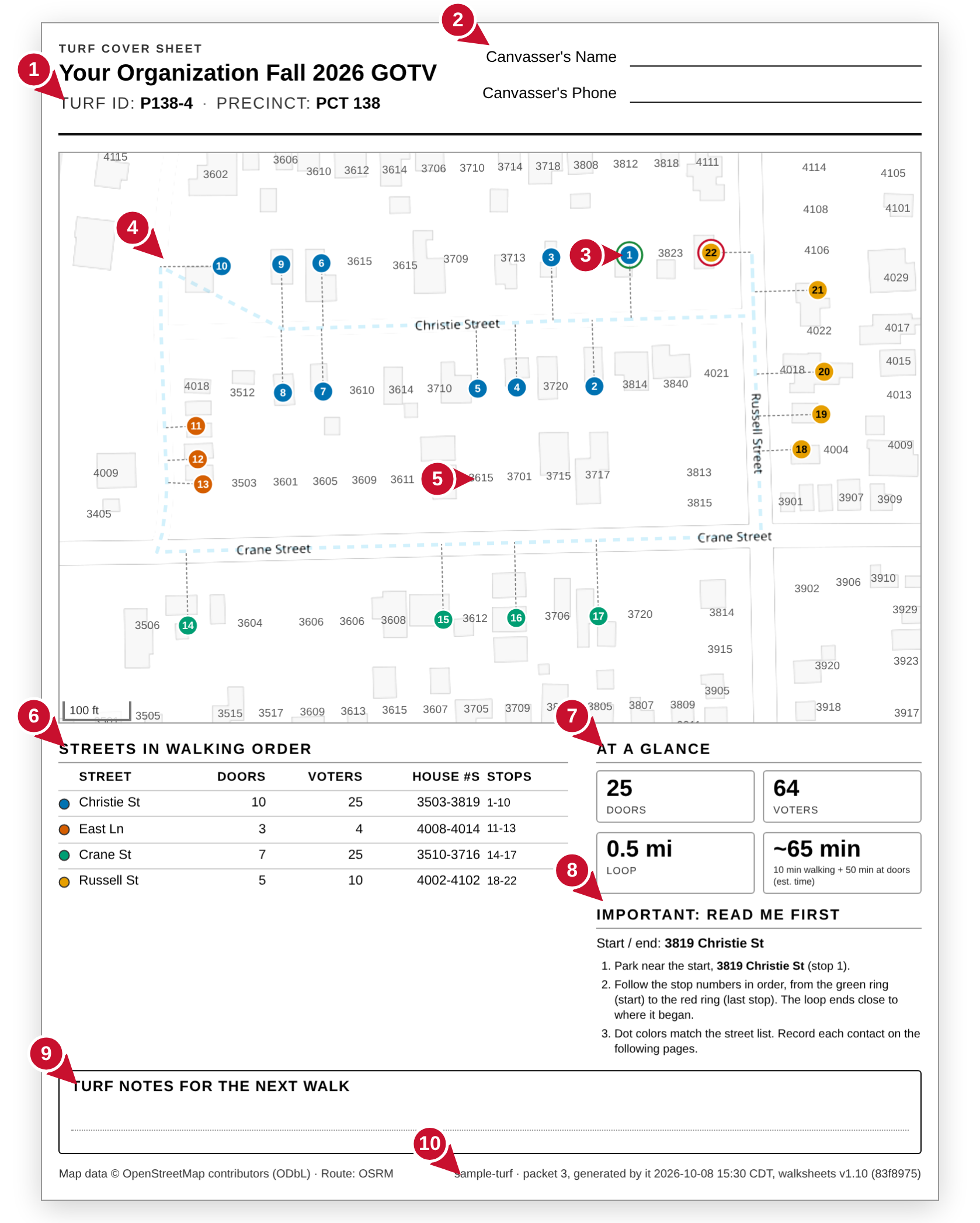
The first page of your packet. The map is a rough guide; the sheets are the truth.
- Precinct and turf. Confirm they match the rest of your packet.
- Write your name and phone number here before you start.
- Color coded rings. Green: stop 1, park near here. Red: the last stop. The loop ends close to where it began.
- The dashed line is your walking route. Short dotted stubs lead from door to door.
- House numbers for each building so you can find a door without navigation.
- Streets in walking order. Different dot colors for different streets.
- Doors, voters, how far the loop is and about how long it takes.
- Read me first: where to park and what the colored rings mean.
- Write anything the next walker should know: dogs, gates, a razed house.
- Packet number and when it was made.
Walk List
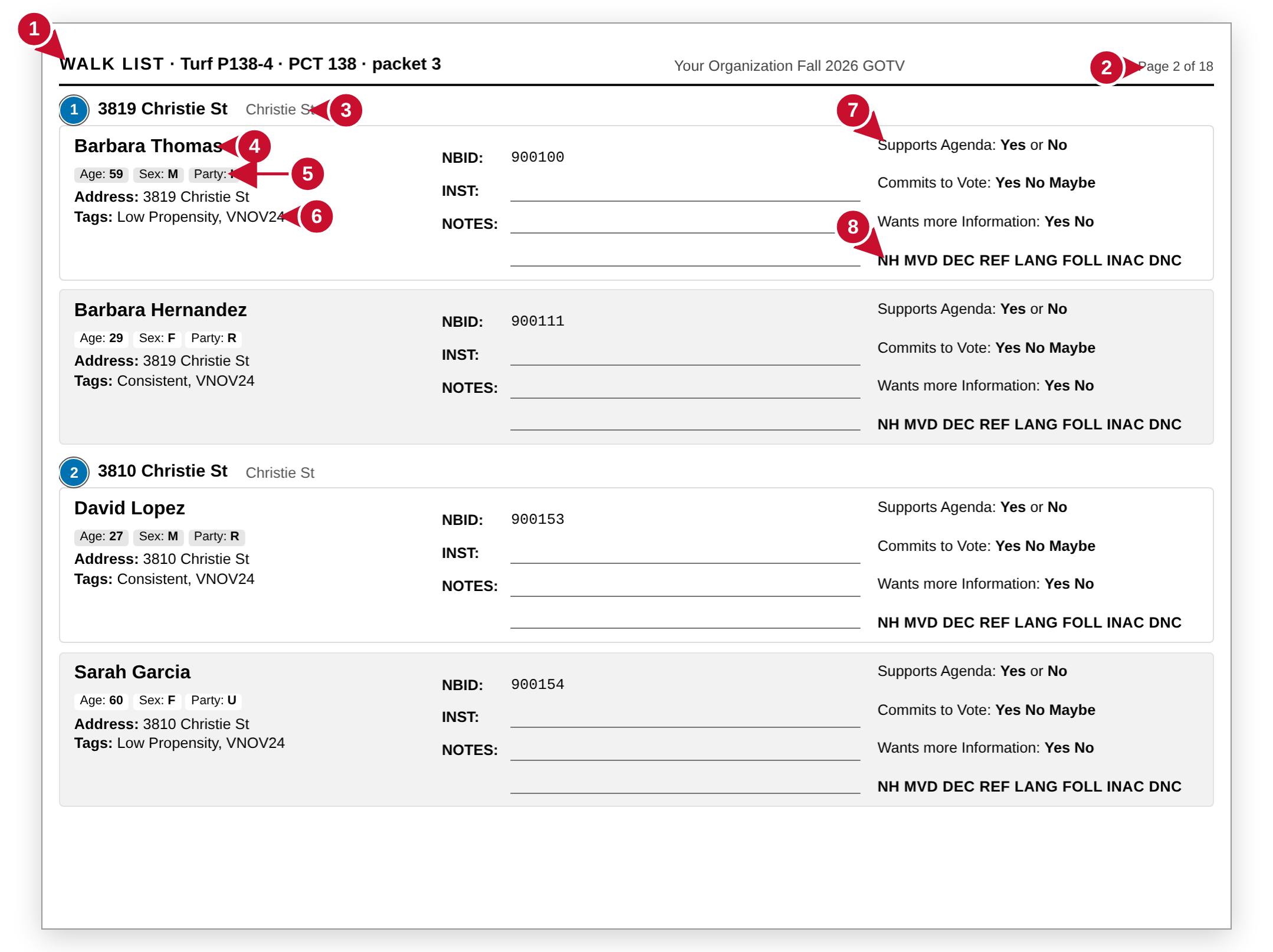
Your stops in walking order. Each card shows one voter to talk to.
- Turf and precinct number.
- Pages run in walking order. The CODES FOR NOTES sheet explains tags and codes.
- A stop: the number and color match the map, then the address.
- One card per voter.
- Age, sex and party, to be sure you have the right person.
- Voter type. The CODES FOR NOTES sheet says what each tag means.
- Three questions to include in the conversation. Circle the answers.
- If nobody talks, circle one code: NH not home, MVD moved, and so on.
Your walk on the phone
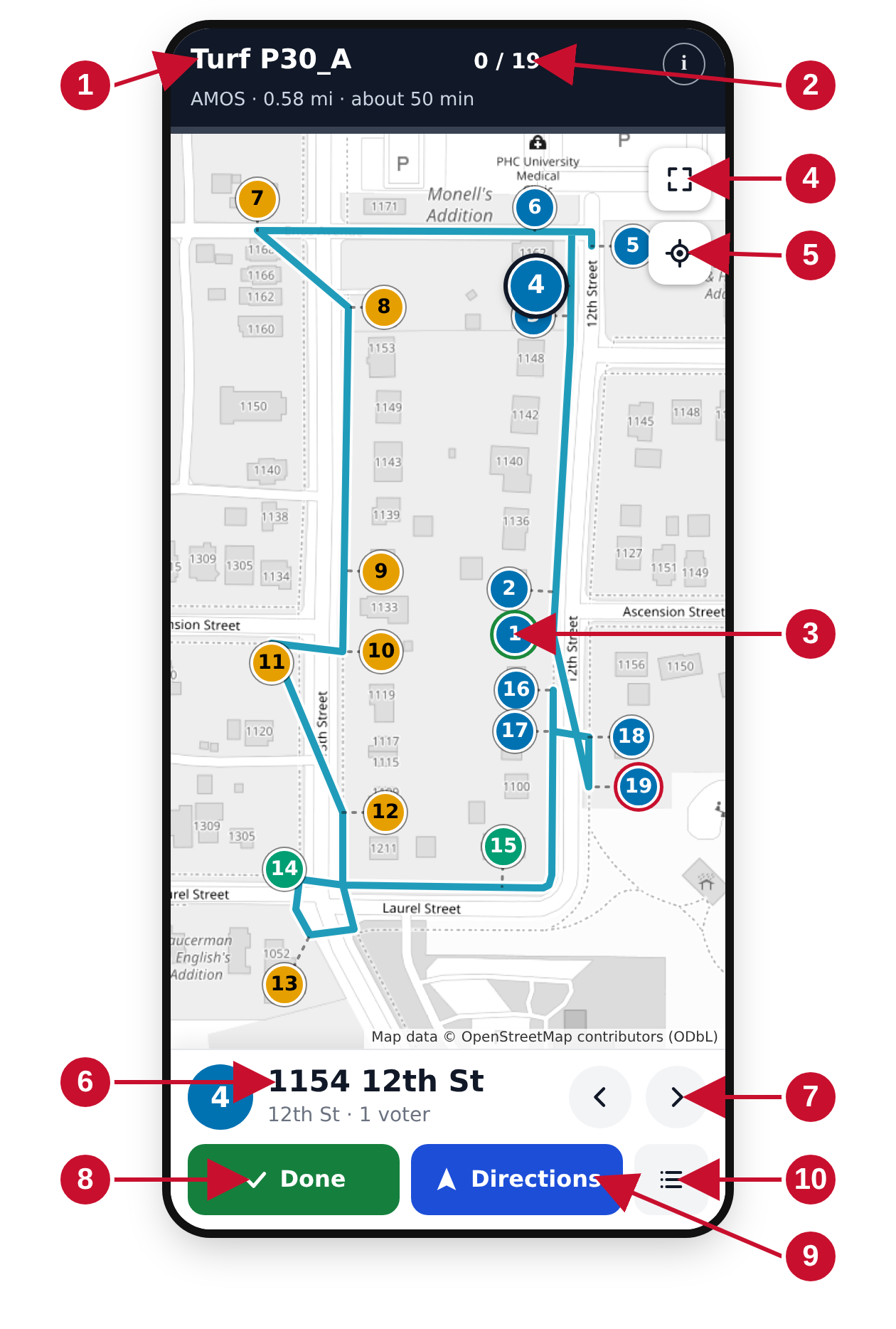
Open the link you were texted. Everything you need is on this screen.
- Your turf and precinct.
- Doors done out of doors total. The thin green bar under it fills as you go.
- Color coded rings. Green: stop 1, park near here. Red: the last stop. Dot colors indicate streets.
- Show the whole route after zooming or panning.
- Show where you are on the map.
- The house you are walking to now, and how many registered voters live there.
- Previous and next stop. The map follows.
- Tap done when you are finished with the stop. It turns gray and the next stop comes up automatically.
- Opens your maps app with directions from wherever you are to this stop.
- The full list of stops: jump ahead, or check off a door you skipped.
The list of stops
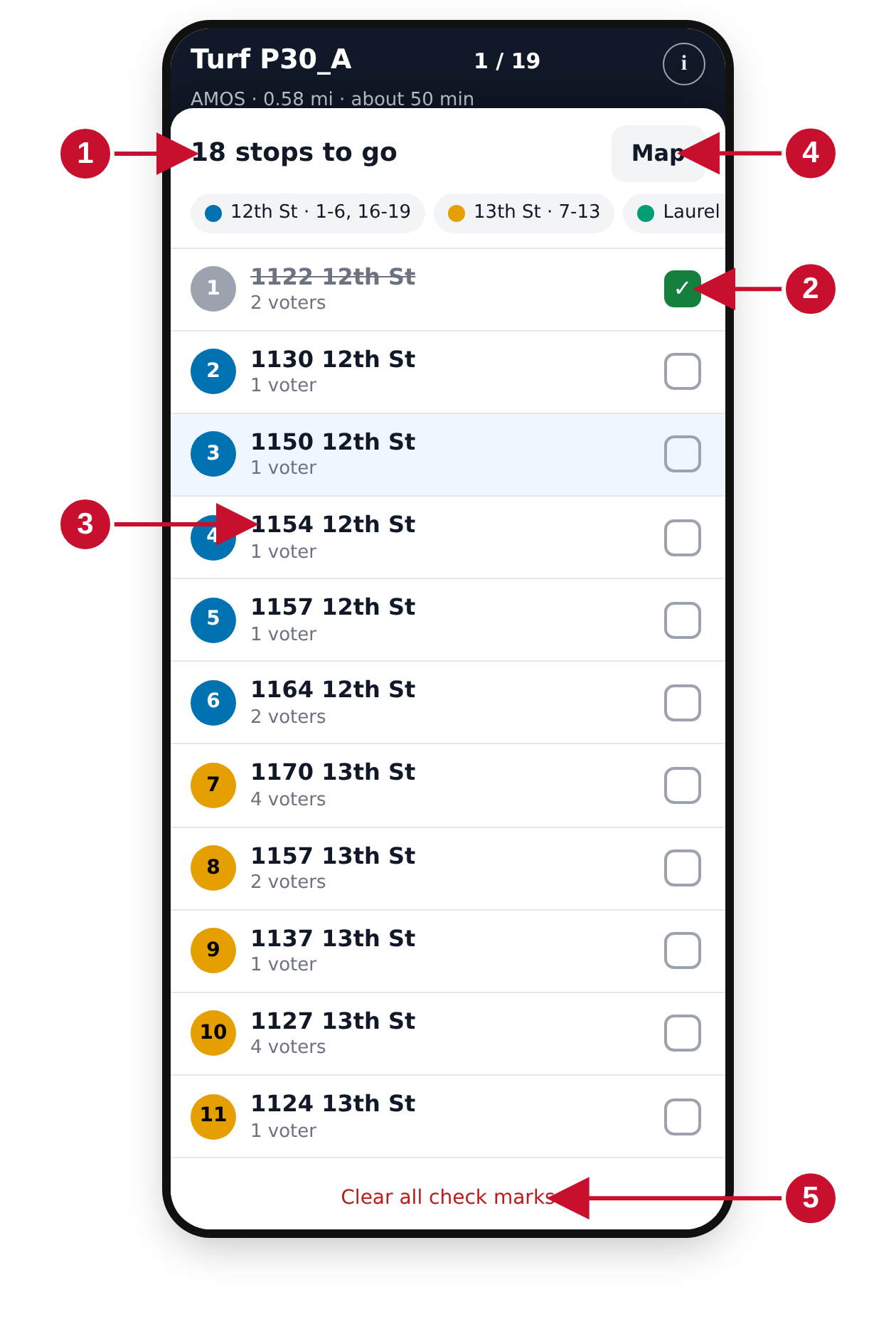
What you will see when you tap the list button (bottom right).
- Every stop in walking order, with its corresponding street color.
- A check means that door is done. Tap a check to undo.
- Tap an address to jump the map to that stop.
- Back to the map.
- Clears every check. Only for starting the turf over.
Before you knock
Park near stop 1Circled in green. Follow the numbers; the loop brings you back near the car.
Tap done after each doorWhether anyone answered or not. The map goes gray behind you and your count goes up.
The WALK LIST contains the truthThe map puts you very close, but a house can be gone or new. Knock where the sheet says.
Lost your place?Tap the list button and tap the next address. Lost the link? Ask the person who gave you the packet.